








Want to save even more on top of coupons?
Choose Gshopper Bank Transfer and instantly enjoy 4.5% off your order amount plus extra Store Credit (1% during major sales / 0.5% normally).
Bank Transfer Just follow these 5 steps:
Step 1: Apply coupons
Enter your coupon code at checkout to enjoy the first round of discounts.
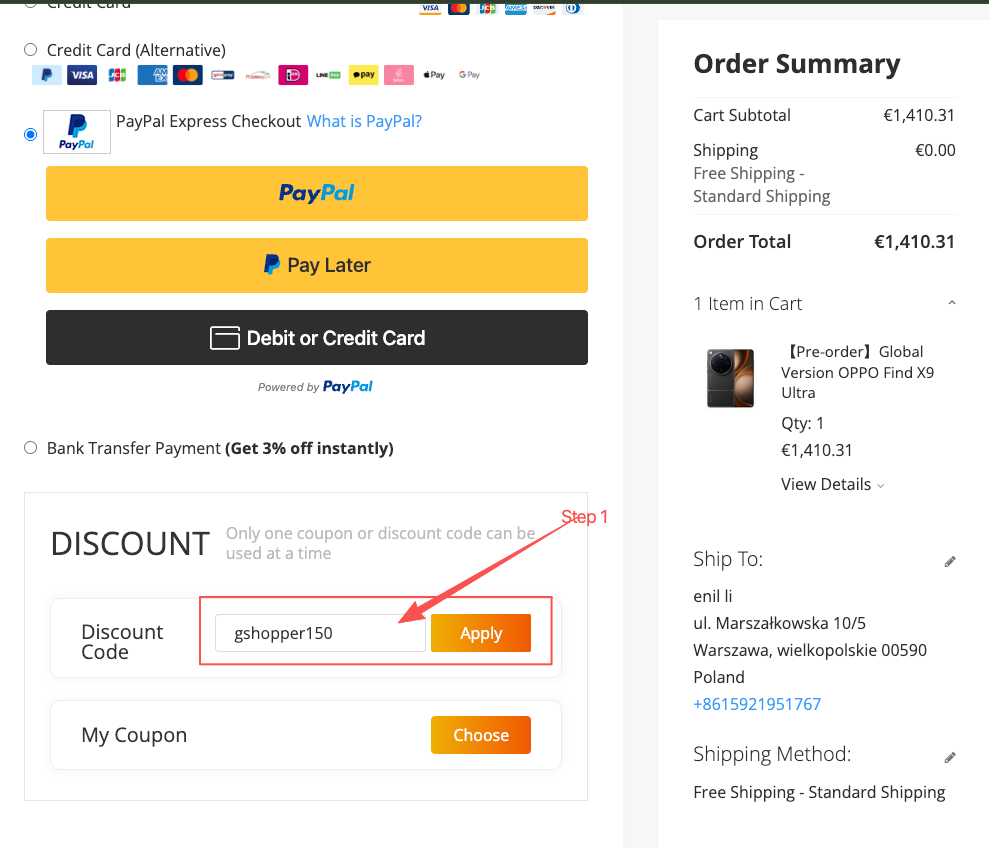
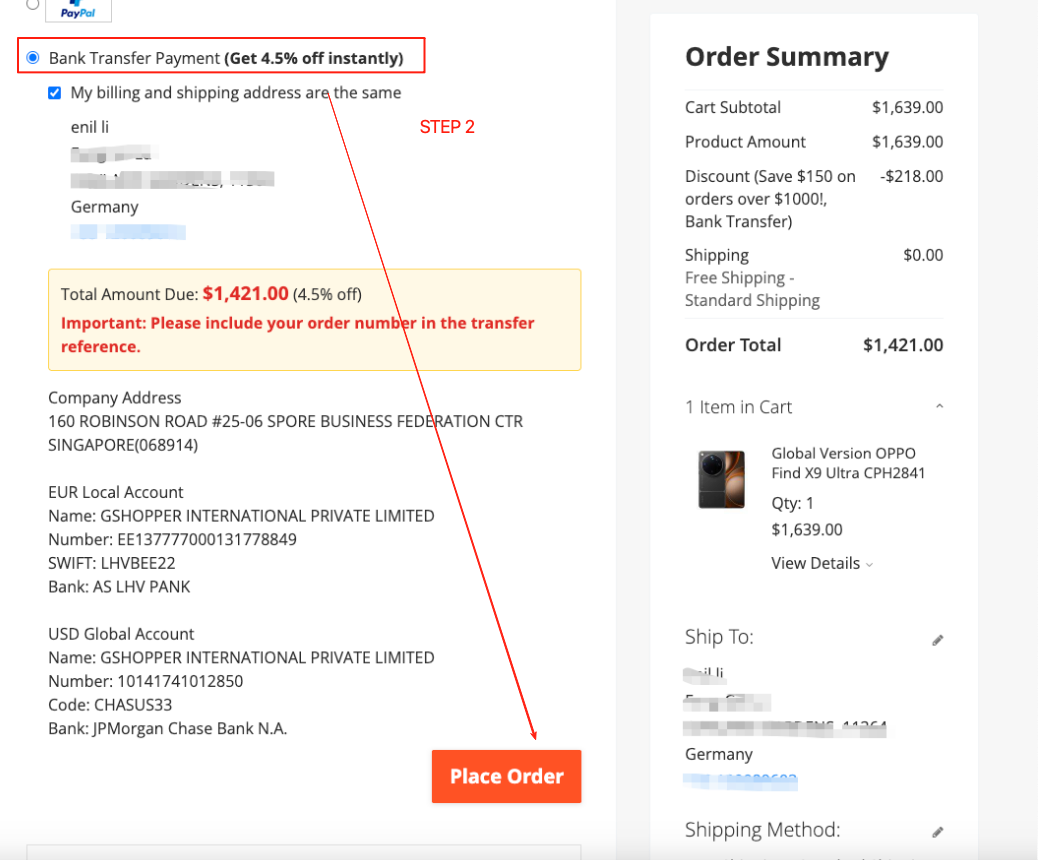
Step 2: Choose Bank Transfer as your payment method. Click “Place Order” to create your order.
You’ll notice that the system automatically applies an additional 4.5% discount on top of the already discounted price.
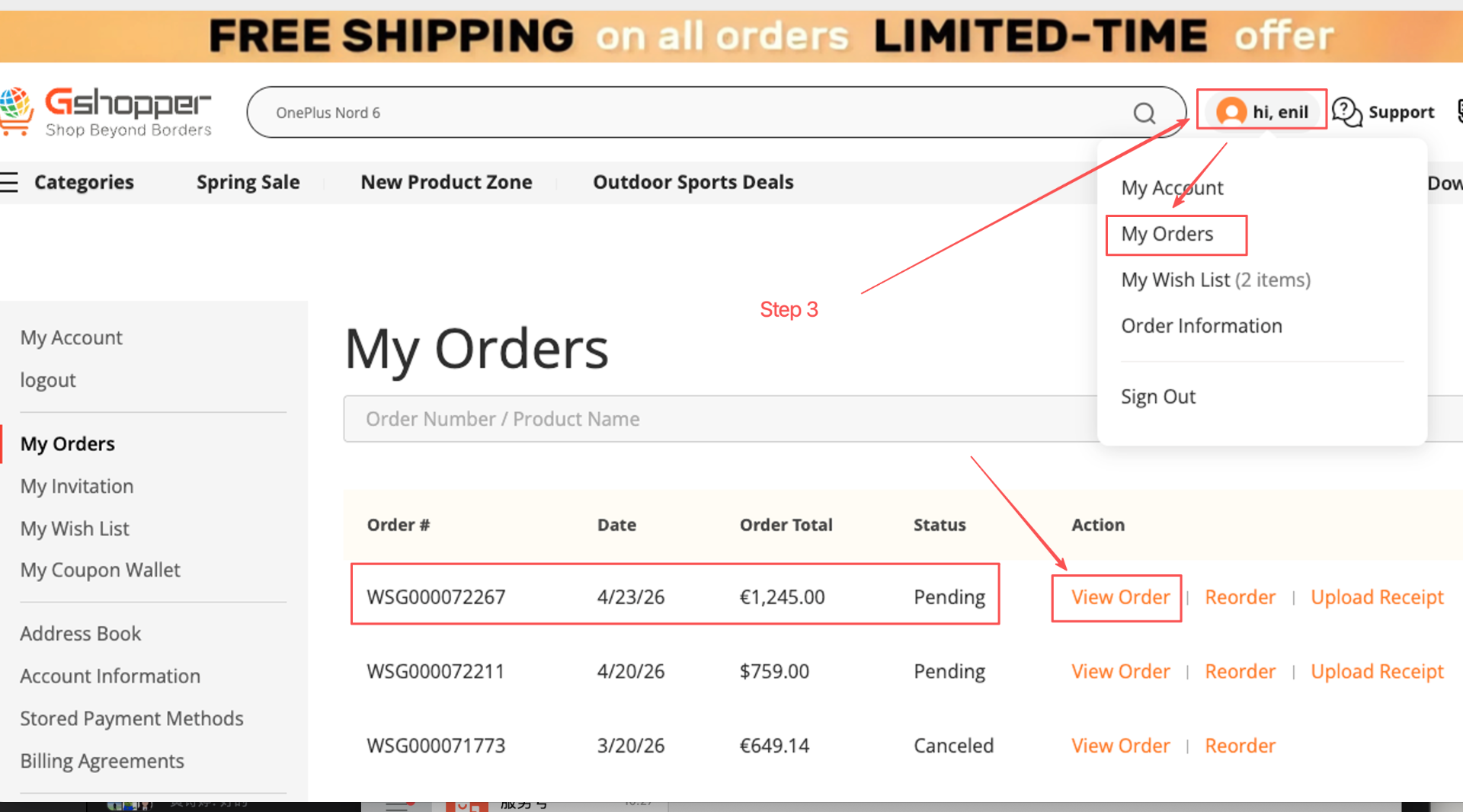
Step 3: Go to “My Orders” to view your order and obtain the bank transfer details.
Step 4: Make the bank transfer and include the order number in the payment reference.(Key Step)
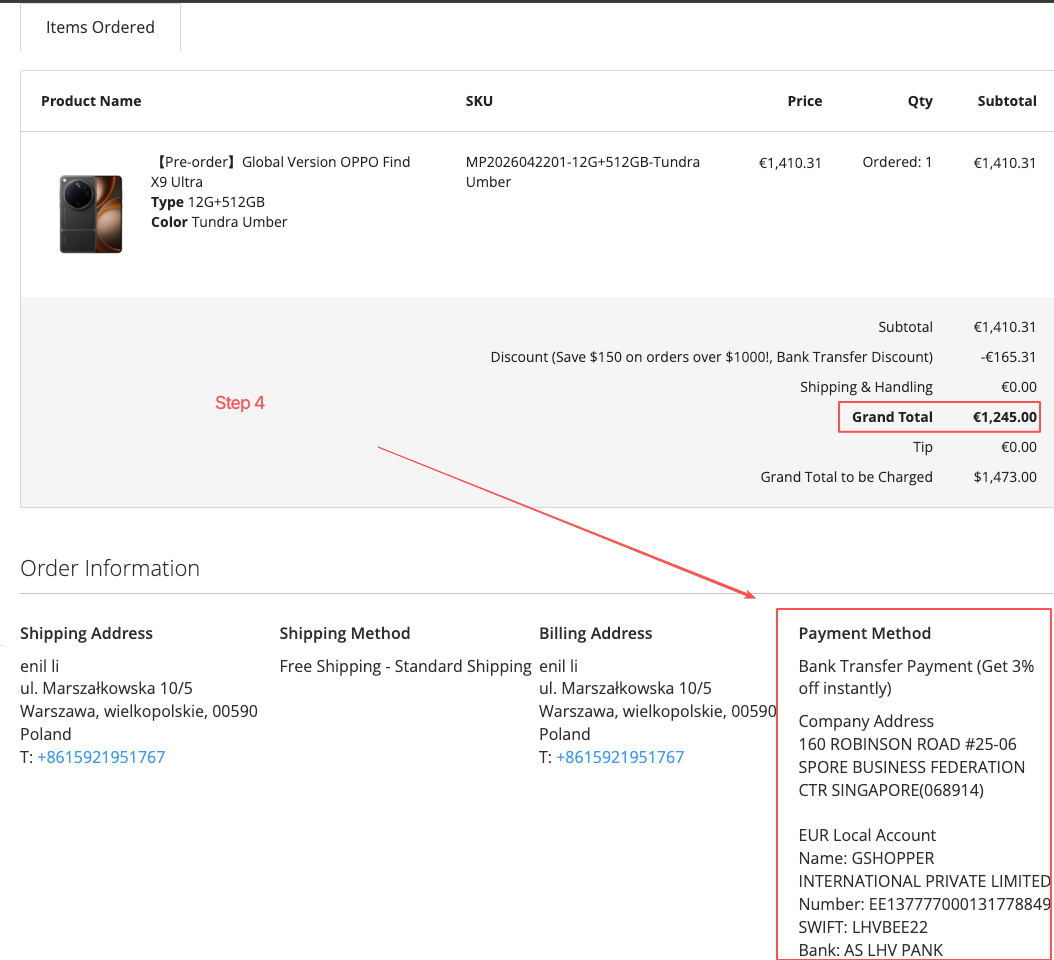
Transfer the payment to the designated account via online banking or mobile banking.
Please transfer the funds to Gshopper’s bank account and include your order number in the payment reference.
If you are paying in EUR, please use Gshopper’s EUR account.Gshopper’s local European bank account only supports SEPA payments and does not accept SWIFT transfers. SEPA transfers have low transaction fees, so we recommend using this payment method.- If you are paying in USD, please use Gshopper’s USD account.Gshopper’s USD account charges a transaction fee of US$10–30 per transfer, so we do not recommend using it unless necessary.
Important Reminder:
When making a bank transfer, please make sure to include your Gshopper order number in the payment reference.
For customers in Europe, we recommend using the Gshopper EUR bank account. Please note that this account only supports SEPA transfers.
The payment amount received by Gshopper must exactly match the order total.
- Tips:
Bank transfers usually take 2–3 business days to arrive. It is recommended to use “instant transfer”; typically, data updates are delayed by about 5–10 minutes. - Please pay attention to the payment account and currency when making the payment. The amount and currency received by Gshopper must match the order exactly.
- For any overpaid amount, if a refund is requested, Gshopper will not cover the handling fees.
- If an order is cancelled for reasons not attributable to Gshopper, the customer will be responsible for all associated fees.
- After placing the order, please complete the payment promptly. The order will be canceled if payment is not made within 72 hours.
Step 5:Upload the bank transfer receipt.
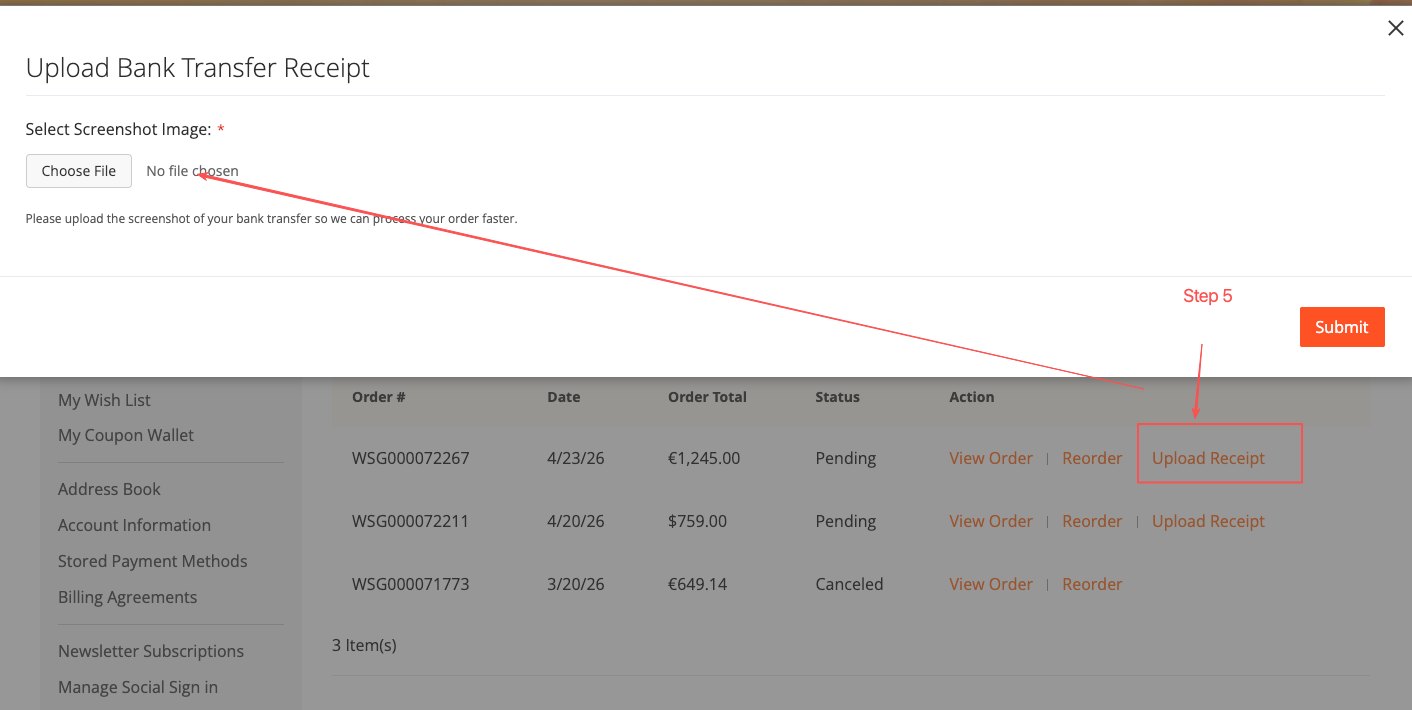
If you choose bank transfer, please upload the payment proof as soon as possible. If we do not receive the payment or the proof of payment within 72 hours, the order will be canceled and the reserved product will be released.
Once Gshopper receives the payment, the order status will be updated to “Processing.” If the payment has not yet been verified, the status will remain “Pending.”
Once our finance team confirms the payment has been received, we will arrange shipment immediately.
Gshopper Store Credit Rules:
Eligible Orders: Only orders paid via bank transfer are eligible.
Cashback Rate: 1% during the major promotion period from May 28, 2026 to June 29, 2026; 0.5% during regular promotional periods.
Cashback Formula: Store Credit Amount = Actual Bank Transfer Payment Amount × Cashback Rate.
Minimum Requirement: The bank transfer amount must be greater than US$50.
Rounded Up: Store Credit amounts are rounded up to the nearest whole number. For example, 3.1 will be rounded up to 4.
Crediting Condition: After the bank transfer is completed and Gshopper confirms the order (order status changes from “Pending” to “Processing”), the cashback amount will be automatically credited to your Store Credit balance.
Order Cancellation: The Store Credit amount will be deducted, and the actual payment amount will be refunded through the original payment platform.
Where to Check: My Account → Store Credit & Refunds.
Guest Checkout: Please log in to your Gshopper account using the email address provided during checkout to view your Store Credit.
How to Use Store Credit Funds
Once your account receives Store Credit , you can use it for discounts on future purchases by following these steps:
Step 1: Select Products and Proceed to Checkout
Choose your products as usual and enter the checkout page.
Step 2: Apply Coupons
Enter your coupon code in the coupon field (if available) and click Apply.
Step 3: Enter the Deduction Amount in “Apply Store Credit”
In the Apply Store Credit section on the checkout page, enter the amount you want to use.
Note: If your account has no Store Credit balance, this section will not be displayed.
Step 4: Complete Payment
After the deduction is applied, choose a payment method to pay the remaining balance and complete your order.
Usage Notes:
• Store Credit can be used for full or partial payment deductions.
• Store Credit can be combined with coupons.
• Store Credit can be used on any future orders with no usage limit.

